channel + subject + environment + camera + lighting + style + constraints
- Channel: where the image will be used.
- Subject: the object, person, or scene that must stay central.
- Constraints: the layout and cleanup rules that make the output usable.
Why prompts matter
Why a structured prompt beats a clever phrase
GPT Image 2 is strong enough that the model is rarely the bottleneck. The bottleneck is the prompt. A structured prompt that reads like a creative brief consistently outperforms a clever one-line phrase, even when the one-liner is more poetic. The whole point of this guide is to turn prompting into a repeatable production skill.
Prompts are creative briefs
Treat each prompt as a short creative brief. State the use case, subject, environment, camera, lighting, style, and constraints. The model performs best when it knows what the image is for, not just what is in it.
Specificity beats length
A long paragraph with vague adjectives often produces worse results than a tight 40-word brief with one camera direction, one lighting setup, and one style choice. Specificity is the lever, not word count.
One job per image
Each prompt should describe one image, with one clear subject and one clear placement. Trying to fit multiple use cases into a single prompt produces compromise output that fits none of them well.
Iterate one variable at a time
When refining, change camera, then light, then style, then composition — not all at once. Single-variable iteration tells you which decision was responsible for the improvement and lets you build a real prompt library.
Anatomy
Anatomy of a production-ready GPT Image 2 prompt
Every strong prompt has the same skeleton: channel, subject, environment, camera, lighting, style, and constraints. Memorize the skeleton and you can write a usable prompt for any brief in under a minute. Skip a slot and the model has to guess, which is where bad output comes from.
Channel — what is the image for?
Name the placement: homepage hero, paid social ad, blog header, podcast cover, deck divider, product page, email banner. The channel shapes aspect ratio, framing, negative space, and visual contrast. Without it, the model defaults to a generic illustration that fits nowhere.
Subject — what or who is the focus?
Name the subject with concrete nouns and explicit relationships. Instead of luxury product, write tall amber perfume bottle on white marble, slightly left of center, large in the frame. Concreteness is what makes the output reviewable.
Environment — where is the subject?
Describe the immediate surroundings: clean studio backdrop, warm wood desk, foggy morning forest, neon-lit alley, modern open kitchen. The environment carries half the mood of the image, even when it occupies a small fraction of pixels.
Camera — how is it framed?
Use real photography terms: macro lens, overhead product shot, three-quarter angle, low-angle hero, isometric view, shallow depth of field, wide cinematic shot. These terms have been seen by the model thousands of times and behave reliably.
Lighting — how is it lit?
Pick one main lighting setup and stop. Soft studio softbox, golden hour rim light, overcast diffused daylight, dramatic side light, clean seamless light tent. Stacking three contradictory lighting terms produces muddy results.
Style — what visual register?
State the register clearly: premium editorial photography, clean Apple-style product photography, warm cinematic still, minimal flat illustration, bold pop poster. One primary style is enough.
Constraints — what must not appear?
Close with practical constraints: no text, no logos, clean edges, simple background, room for headline on the right, centered subject, realistic reflections, no people. These shape the output for layout fit, not just aesthetics.
Templates
Reusable prompt templates for common GPT Image 2 use cases
These templates are the workhorses. Swap the bracketed slots for your subject and channel and adjust one variable at a time. They cover most marketing, product, editorial, and social briefs you will run into in 2026.
Product shot template
Commercial product photo of [product] on [surface], [camera angle], [lighting], [background], premium advertising style, clean composition, realistic reflections, [aspect ratio], no text, no logos.
Campaign hero template
Wide homepage hero image for [brand or offer], [main subject] in [environment], strong negative space on [side], [mood], [lighting], realistic detail, ready for headline overlay, no words in image.
Editorial illustration template
Editorial illustration for an article about [topic], [visual metaphor], [style], balanced composition, readable at small sizes, modern color palette, room for title overlay at the top, no typography in image.
Social creative template
High contrast social media visual for [audience] about [offer], [subject] close to camera, bold background, single focal point, energetic [lighting], space for caption overlay at the bottom, no embedded text.
Thumbnail template
YouTube-style thumbnail for [topic], [subject] large and centered, exaggerated expression or contrast, deep saturated background, strong rim light, simple composition, no on-image text, room for overlay later.
Lifestyle product template
Lifestyle product photo of [product] in [real-world setting], soft natural [lighting], shallow depth of field, hands or environment cues for scale, premium editorial feel, realistic textures, no logos.
Camera & lighting
Camera and lighting language that GPT Image 2 actually respects
These prompt terms are reliable across thousands of generations. Stick with this vocabulary first; only invent new terms when nothing here covers the look you need.
Camera vocabulary that works
Macro lens, close-up, three-quarter angle, overhead flat lay, isometric view, low-angle hero, eye-level portrait, wide cinematic shot, shallow depth of field, deep focus, slight tilt, centered composition, rule of thirds.
Lighting vocabulary that works
Soft studio softbox, large window light, golden hour rim light, blue hour, overcast diffused daylight, dramatic side light, butterfly portrait light, neon practical light, light tent, natural top-down sun, moody single key light.
Color and palette
Use color references the model recognizes: warm tones, cool tones, muted earth palette, high contrast black and red, soft pastel palette, monochrome blue, brand-style premium navy and cream. Pair palette with lighting for control.
Texture and surface
Real material words land cleanly: brushed aluminum, frosted glass, soft cotton, polished marble, raw concrete, matte cardboard, glossy ceramic, soft leather, rough linen. Use them on the subject and the environment.
Negatives & constraints
How to use negative constraints without confusing the model
Negative prompts in image generation are not magic; they are reminders. Use them sparingly and concretely. Stacking ten negatives often hurts more than it helps because each one is a hint about what the model might otherwise produce.
Use no text and no logos by default
For any production asset where typography will be added later in a design tool, finish the prompt with no text in image, no logos, no signs. This avoids invented characters or fake brand marks that have to be edited out.
Use no people for clean object shots
Product, packaging, and abstract environment shots benefit from explicit no people, no hands, no faces in the constraints when those elements would distract. Otherwise, the model sometimes adds incidental figures.
Avoid vague negatives
Phrases like not ugly or no bad composition are too abstract to help. Replace them with positive direction: clean composition, balanced negative space, premium presentation. Concrete positives outperform abstract negatives.
Limit negatives to three or four
More than four negatives starts to confuse the model. Pick the three or four that actually matter for the placement, and trust positive direction to handle the rest.
Iteration
How to iterate prompts without losing what worked
Iteration is where most teams waste credits. The fix is to treat each generation as a single experiment with one variable changed. This section is the practical loop you should run on every project.
Fix composition before style
If the image cannot fit the placement, fix subject scale, crop, viewpoint, and negative space first. A beautiful image that does not fit the layout still fails the brief, so style words come after composition is locked.
Change one slot at a time
Swap camera, then lighting, then style, then color palette in separate generations. This tells you which decision drove the change and lets you build prompt notes that actually transfer to the next campaign.
Save winners with their full prompt
Export each winning image with its full prompt saved alongside it. When a campaign needs related images later, those notes become a repeatable visual system rather than another lottery round.
Inspect at full size
Check at full resolution: faces, hands, fingers, product edges, reflections, small objects, text-like marks. Final assets should pass the same detail check as a stock photo or retouched campaign image, not just look good as a thumbnail.
Common mistakes
Common GPT Image 2 prompt mistakes and how to fix them
If your output keeps coming back almost-but-not-quite, one of these mistakes is usually the cause. Fix the prompt before fixing the image.
Mistake: stacking style adjectives
Listing eight style words like cinematic, dreamy, ethereal, premium, editorial, vibrant, atmospheric, refined pulls the model in too many directions. Pick one primary style and let composition and lighting carry the rest.
Mistake: vague subject
Writing a luxury product on a nice background gives the model nothing concrete. Replace with a tall amber perfume bottle on a white marble shelf. Concrete subject equals controllable output.
Mistake: contradictory lighting
Asking for soft studio light and dramatic side light and golden hour at the same time produces muddy lighting. Pick one and commit. If you want a hybrid look, describe it in one phrase like soft window light with a warm rim from camera right.
Mistake: forgetting the channel
Without naming the placement, the model defaults to a square stock-style image that fits no real layout. Always state the channel up front so framing and negative space are usable.
Mistake: over-constraining negatives
Listing ten things the image must not contain hurts more than it helps. Trim to the three or four negatives that actually matter and trust the positive prompt for everything else.
Mistake: changing too many things at once
Rewriting half the prompt between generations means you cannot tell what fixed the issue. Move one slot per iteration so the prompt library you build is actually reusable.
Prompt Library
Copy-paste GPT Image 2 prompt examples
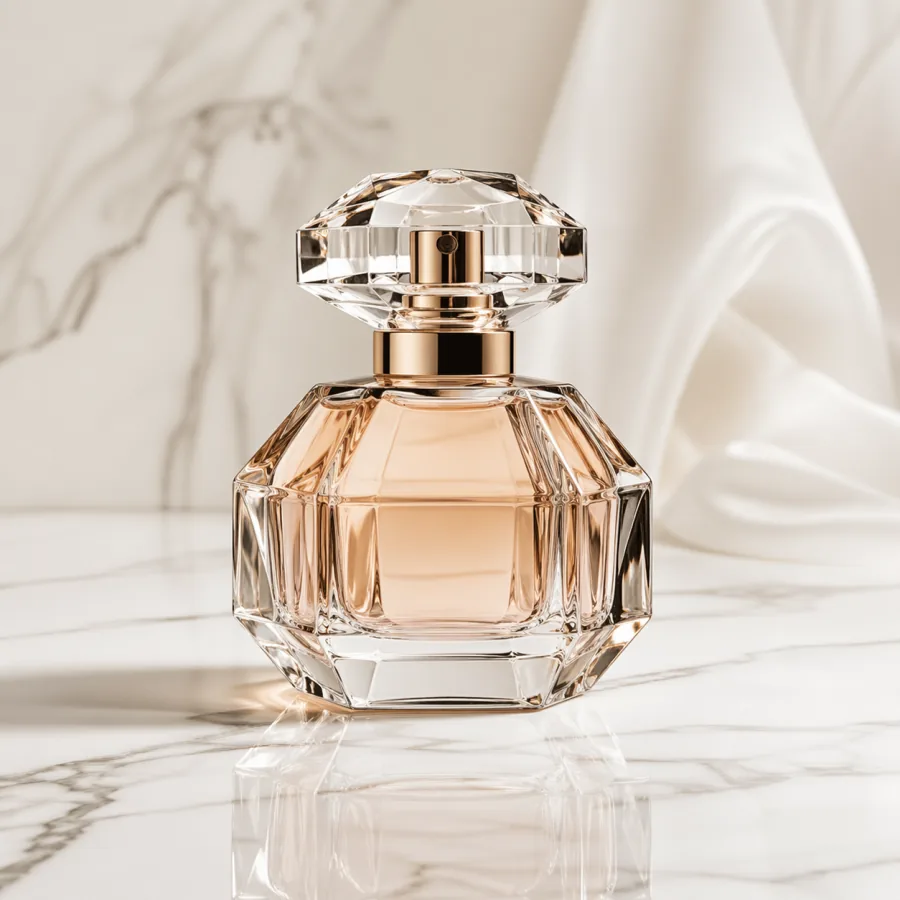
Premium product photography
Commercial photo of a tall amber perfume bottle on white marble, macro lens, soft studio softbox, premium reflection, clean light gray background, room for caption on the right, no text, no logos.
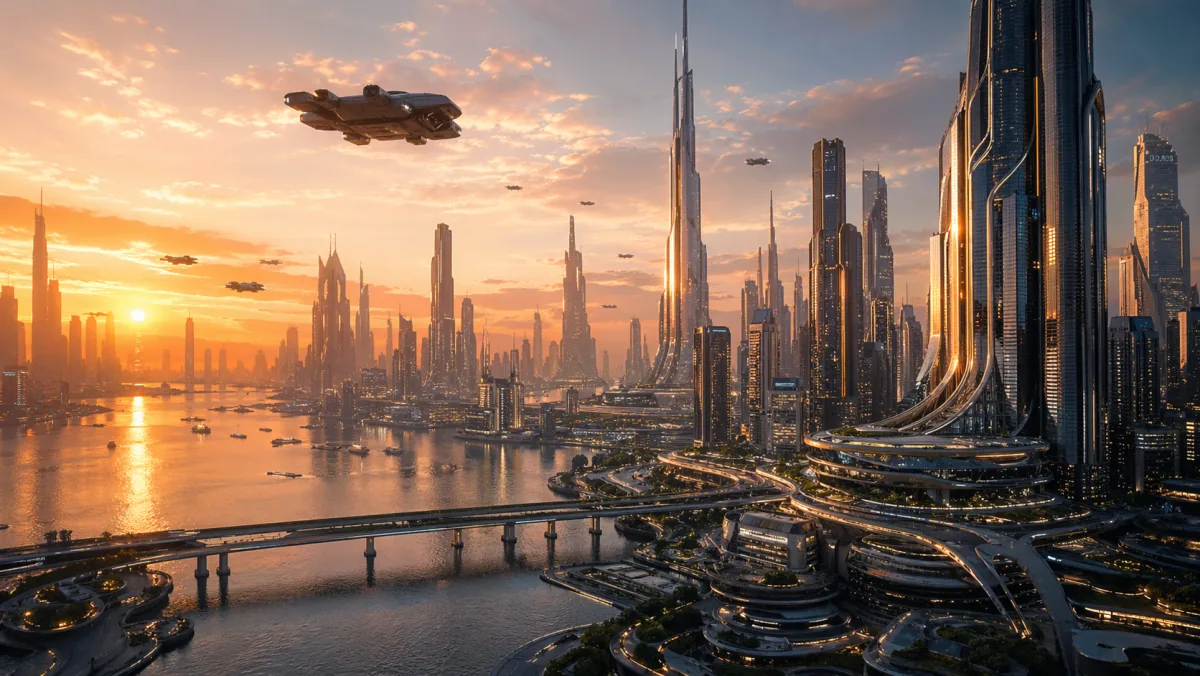
Homepage hero background
Wide homepage hero image of a futuristic glass-tower city at sunset, cinematic wide shot, golden hour rim light, strong negative space in the upper sky, ready for headline overlay, realistic detail, no words in image.
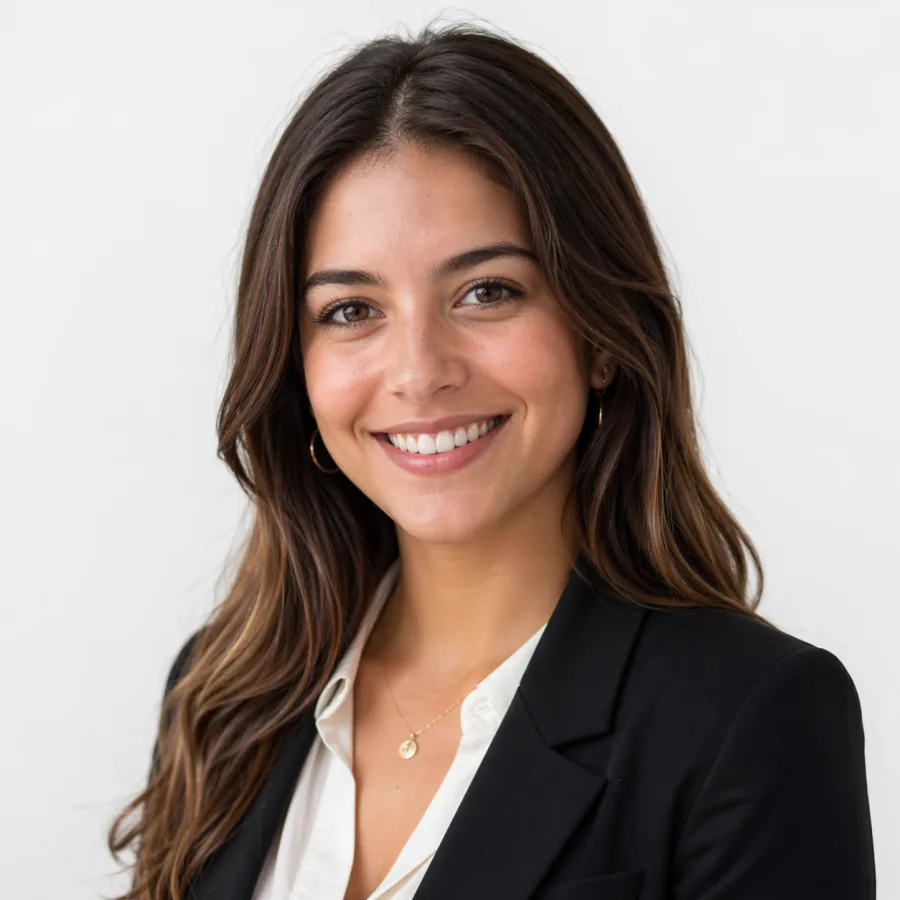
Editorial portrait
Editorial portrait of a confident mid-thirties founder, neutral light gray background, soft window light from camera left with subtle rim from the right, three-quarter angle, shallow depth of field, natural skin tones, no typography.
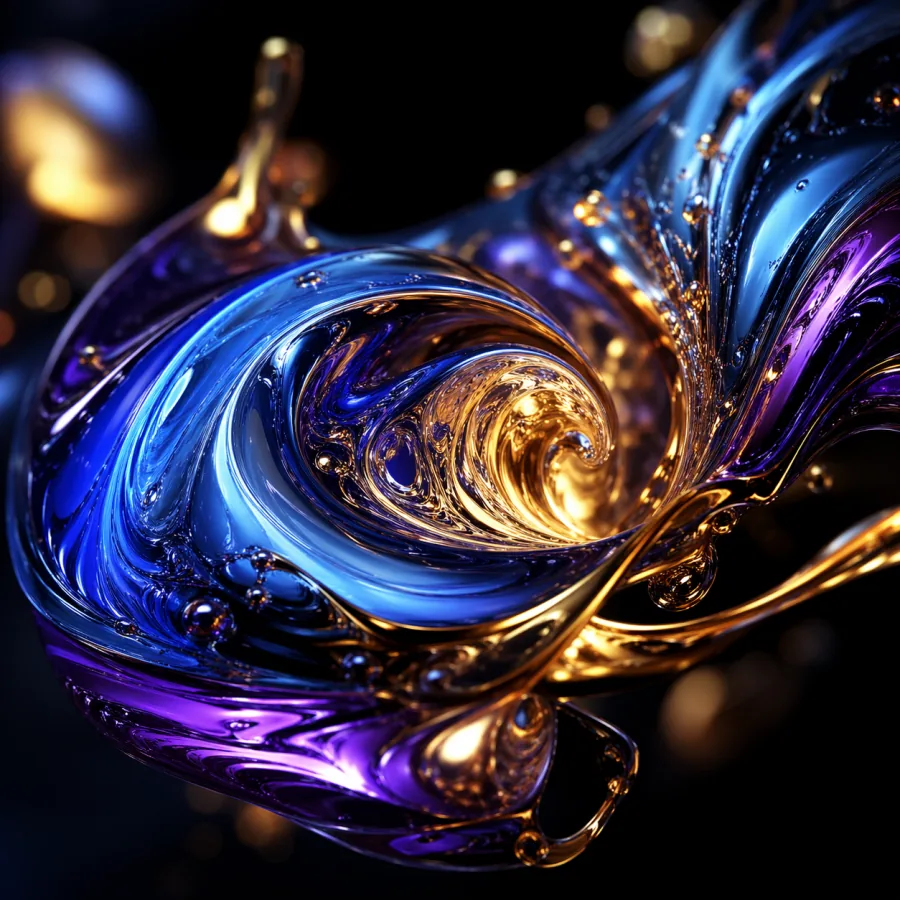
Abstract campaign cover
Abstract liquid metal shapes in deep blue and brushed gold, macro detail, high contrast, dark background, premium presentation cover style, balanced composition, no text in image.
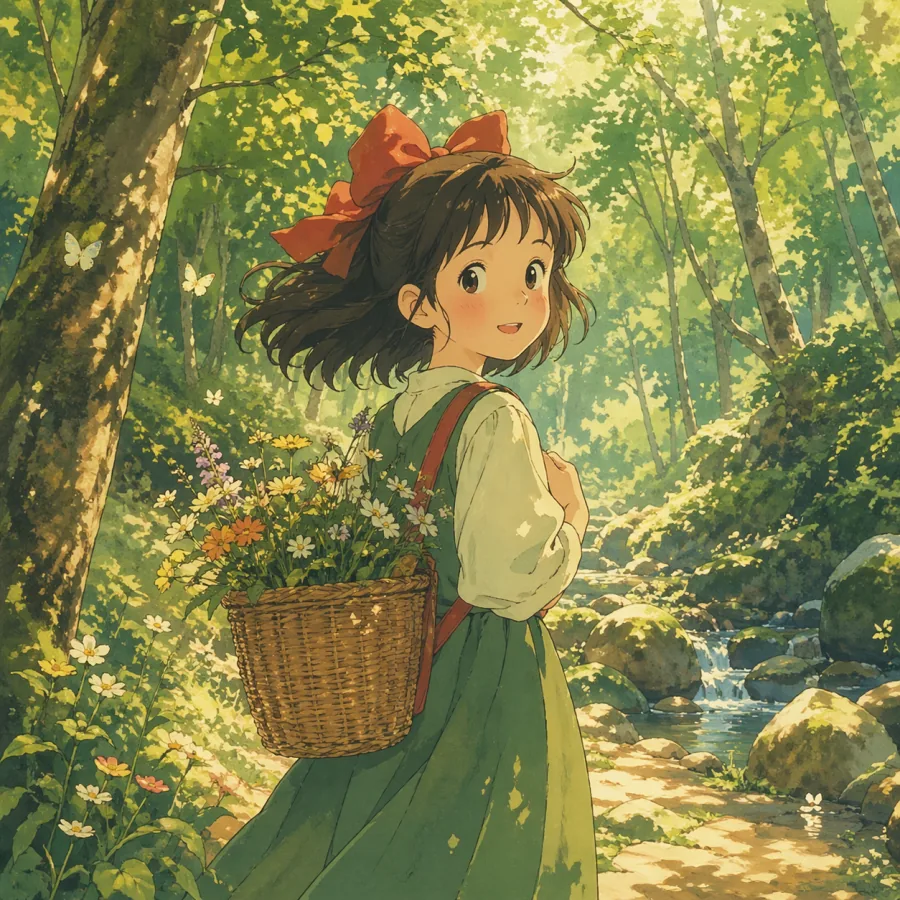
Stylized illustration
Warm anime-style illustration of a small forest clearing at golden hour, soft watercolor tones, atmospheric haze, single character pose readable at small sizes, balanced composition, room for title overlay at the top, no text.
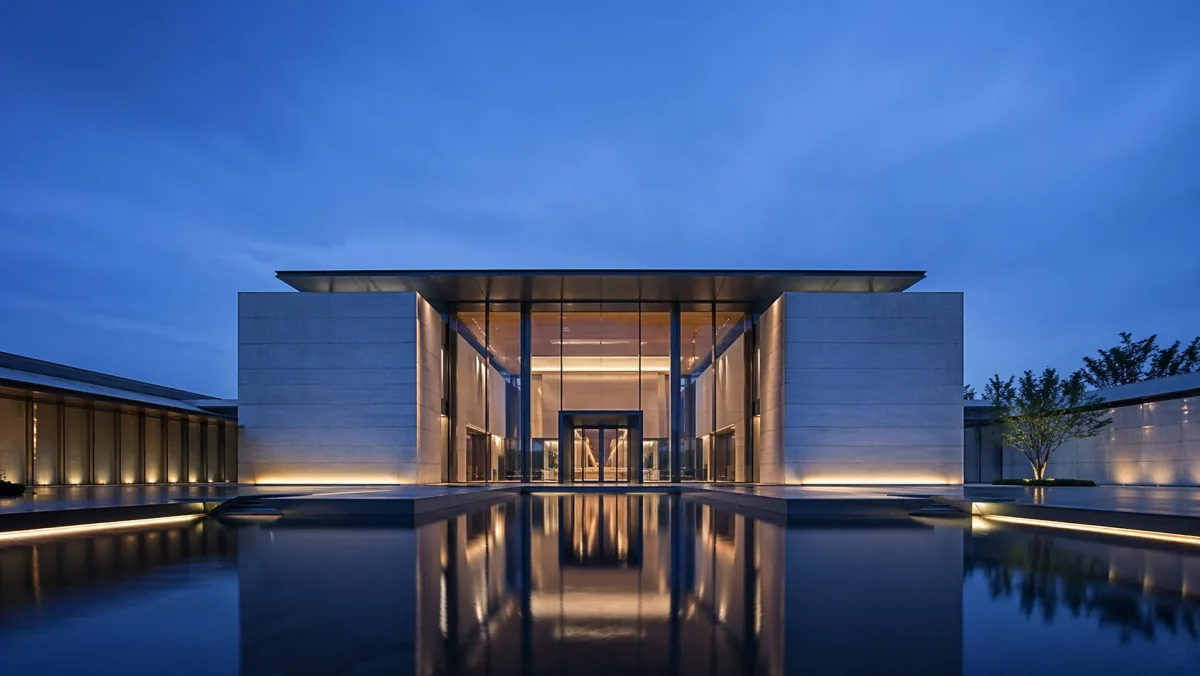
Architecture editorial
Modern architecture exterior of a glass-and-concrete pavilion at clean midday daylight, three-quarter angle, realistic materials, sharp shadows, editorial composition, premium real estate photography style, no people, no logos.
Lifestyle product
Lifestyle product photo of a ceramic coffee mug on a warm wood desk near a sunlit window, shallow depth of field, hands gently wrapped around the mug for scale, soft natural light, premium editorial feel, no text on the mug.
Social ad creative
High contrast social ad visual for a fitness audience, athlete close to camera in mid-motion, deep saturated teal background, strong rim light, single focal point, room for caption at the bottom, no embedded text.
FAQ
Quick reference FAQ
What makes a good GPT Image 2 prompt?
A good prompt reads like a short creative brief. It names the channel, subject, environment, camera, lighting, style, and constraints. It is specific rather than long, picks one primary style, and leaves room for layout fit instead of trying to design the final asset entirely inside the model.
Should GPT Image 2 prompts be long?
They should be specific, not necessarily long. A 40-word prompt with clear camera, lighting, subject, and constraints usually beats a 150-word paragraph stuffed with style adjectives. Length helps only when each extra word adds production-relevant detail.
How do I keep multiple images consistent across a campaign?
Reuse the same camera, lighting, color palette, environment, subject scale, and forbidden elements across prompts. Change only the product, scene, or message that needs to vary. Save each winning prompt with its export so the next campaign can use the same recipe.
Can I ask GPT Image 2 to render text inside images?
Short text on signs, packaging, and covers usually renders cleanly enough to use with a quick review. For long body copy or precise typography, generate the image without text and add words in a design tool afterward. That keeps wording accurate and easier to revise.
How do negative prompts work in GPT Image 2?
Treat them as concrete reminders. Use no text, no logos, no people for clean production assets. Avoid vague negatives like not ugly. Keep the total number of negatives to three or four; more than that tends to confuse the model rather than help it.
What aspect ratio should I use?
Pick the aspect ratio of the placement first. 16:9 for hero images and YouTube thumbnails, 1:1 for most social posts, 4:5 for Instagram feed, 9:16 for stories and short video covers, 3:2 for blog headers and article images. Naming the ratio in the prompt helps the model frame correctly.
How do I get character consistency across siblings?
Lock the descriptive details that define the character — age range, build, hairstyle, clothing colors, posture — and reuse those exact words across each prompt. For tight consistency, use image-to-image with a chosen master image as the reference rather than relying on text-to-image alone.
Why does my image look almost right but not quite?
Almost-but-not-quite usually means one prompt slot is missing or contradictory. Check that you named the channel, picked one primary style, and locked one lighting setup. If those three are clean, the issue is usually composition rather than the model.
How many iterations should one image take?
On a structured prompt, expect one to three GPT Image 2 generations per usable asset. If you are at five or more on the same brief, the prompt skeleton is wrong, not the model. Rewrite the brief from scratch using the anatomy section above.
How do I move from drafts to final exports cost-effectively?
Explore at lower-resolution, lower-cost settings to lock the creative direction. Once the team agrees on a winner, regenerate it at the higher resolution tier for the final export. Spending high-resolution credits on every draft is the most common cost waste.
Can I commercially use images generated with GPT Image 2?
Yes. GPT Image 2 outputs through ChatGPT Images are private by default and usable in ads, product pages, social posts, presentations, and editorial layouts without visible watermarks. Always confirm the latest commercial-use policy on your current plan before a major launch.
Where can I see live GPT Image 2 examples?
Visit the GPT Image 2 showcase for category examples, the GPT Image 2 review for evaluation methodology and scores, and the GPT Image 2 vs GPT Image 1 comparison if you are deciding whether to upgrade from the previous generation.